 AI Rankia
AI Overview tracker: Which keywords trigger it, and whether you're cited
See who Google cites instead of you, and track Google AI Mode with prompts: one of the 17+ AI engines AI Rankia monitors.
 Google AI OverviewsGoogle AI Mode
 ChatGPT
 Gemini
 Perplexity
 Claude
 Grok
Grok- AI Overview shown or not
- The links it cites: is your domain one?
- Your organic position
- Top 20 results that day
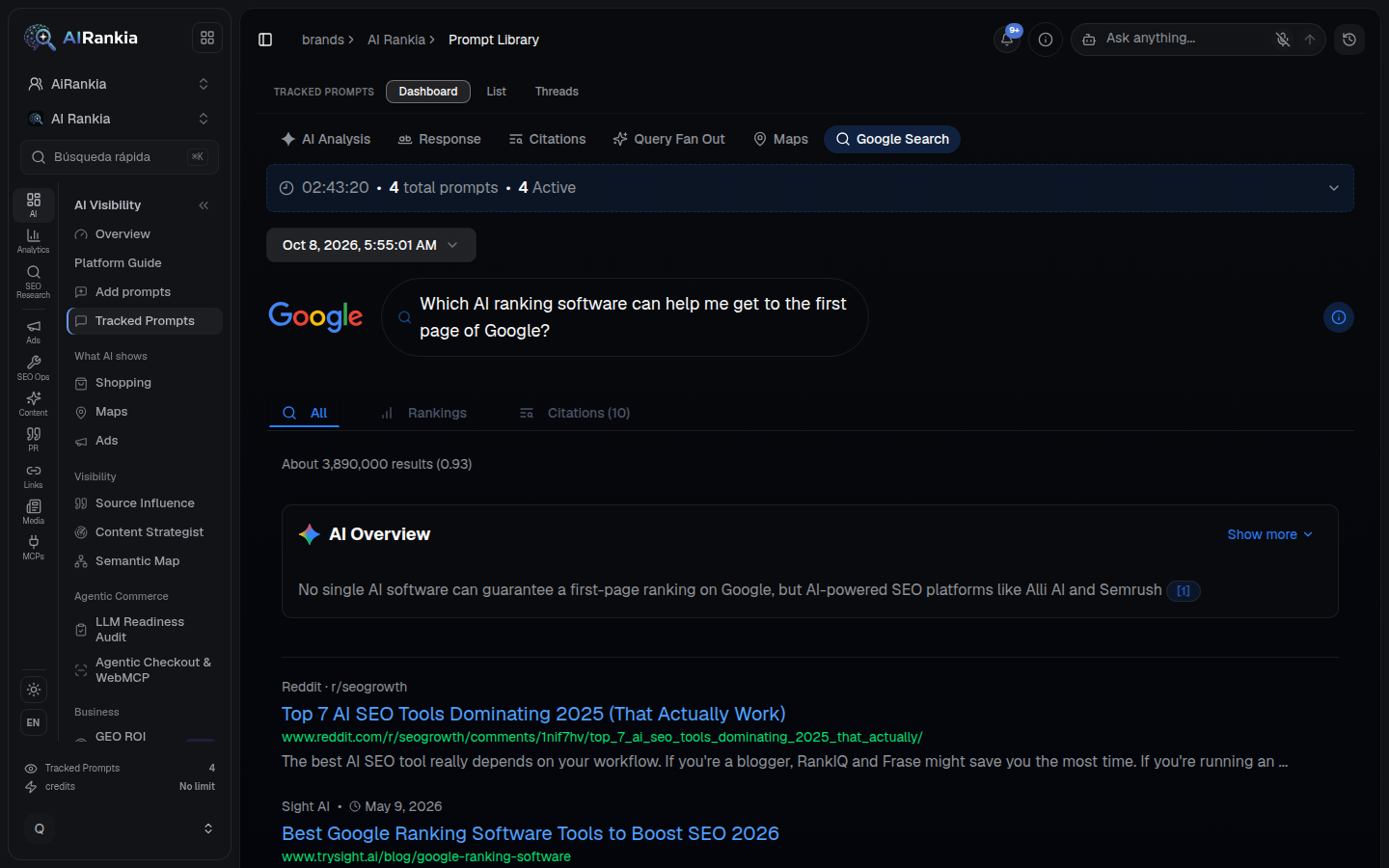
What one check reads. Drawn after a Google results page AI Rankia stored on Oct 8, 2026: an illustration, not a capture.
Google answers first. Who does it cite?
* 345,199 of 817,799 citations in the AI Rankia index: a share of the index, not a per-answer rate.
A plain match on Google's links. No AI guessing.
No model decides whether you're cited: we compare the links Google returned with your domain.
You pick keywords
Up to 100 per campaign, with a country, desktop or mobile, and weekly or monthly checks.
We search Google live
One search through DataForSEO's SERP API, 100 results deep, AI Overview loaded, in the country's main language.
We match the links
You're cited when an AI Overview link is on your exact host (www. ignored). Position is your rank among organic results only.
You read the trend
Position, AI Overview shown, cited or not, the cited domains and the top 20. Exportable as CSV.
Three ways to look at Google's AI answers
Scan a domain to find keywords, track the ones that matter, and use prompts for AI Mode.
Keywords where a domain is already cited
Any domain, any country: the keywords where it already appears in an AI Overview, and the cited URL. Start here.
- Volume, intent, difficulty, CPC and estimated traffic per keyword
- Re-scan weekly or monthly: keywords gained and lost
- Agencies: scan a prospect or a client's main competitor before the first meeting
Default prices; the app shows the live one. Monitor ($99) includes 1,000 credits.
Your keywords, checked on a schedule
Each check stores your position, whether an AI Overview was shown, whether you are in its links, and who it cited instead.
- 100 keywords per tracking campaign
- A country, desktop or mobile, weekly or monthly
- Start with the rows that say “AI Overview shown — you are NOT cited”
AI Mode and AI Overviews, by prompt
AI Mode is a conversation, not a keyword: you track it with prompts written the way people ask. AI Overviews is one of the engines a prompt runs in too.
- Whether your brand is named, and in what position
- The competitors and sources next to you
- 50 tracked prompts on the Monitor plan
What this tracker can't tell you
Coverage3
- Impressionsonly Search Console counts them
- Every version of the answerone search, one country, one device per check
- Cities or a second languagecountry level, one language each
Matching3
- Subdomains
shop.example.com≠example.com - AI Mode by keywordAI Mode is tracked with prompts only
- Prompt volumesnobody publishes them; we don't estimate them
Data and cost2
- Domain scanDataForSEO's database, not live; each row dated
- Free checks1 credit per keyword run, 3 per scan; prompts use your plan
Search Console, a tracker, or by hand
Since 31 August 2026 every site has Search Console's generative AI report. It answers some of a tracker's questions, not all.
| Feature |  AI Rankia AI Rankia |  Search Console (gen AI report) Search Console (gen AI report) | Checking by hand |
|---|---|---|---|
| Which searches show an AI Overview | |||
| Says whether a given keyword shows an AI OverviewSearch Console: the report's documented dimensions are pages, countries, dates and devices. Queries aren't one of them. | Yes | No | Yes |
| Finds keywords where a domain is already cited | Domain scan | No | No |
| Whether you are cited | |||
| Cited or not, per keyword | Yes | Per page, not per query | Yes |
| Other domains cited in the same answer | Up to 30 per check | No | Yes |
| Works on a competitor's or prospect's domainSearch Console: only shows sites you have verified. | Yes | No | Yes |
| Impressions (how many people saw your link) | No | Yes | No |
| Google AI Mode | |||
| AI Mode answers | Tracked prompts | Included with AI Overviews | Yes |
| Schedule, device and cost | |||
| How often · which device · what it costs | Weekly or monthlyDesktop or mobileCredits | Daily dataDesktop, tablet, mobileFree | Only if you repeat itThe one you useFree, but slow |
Yes yesNo no, per the source for that column
Checked on · 3 sources
AI Rankia: our product code, including the ✗ for impressions. Search Console: Google's help page and blog post that day. “By hand” means searching Google yourself.
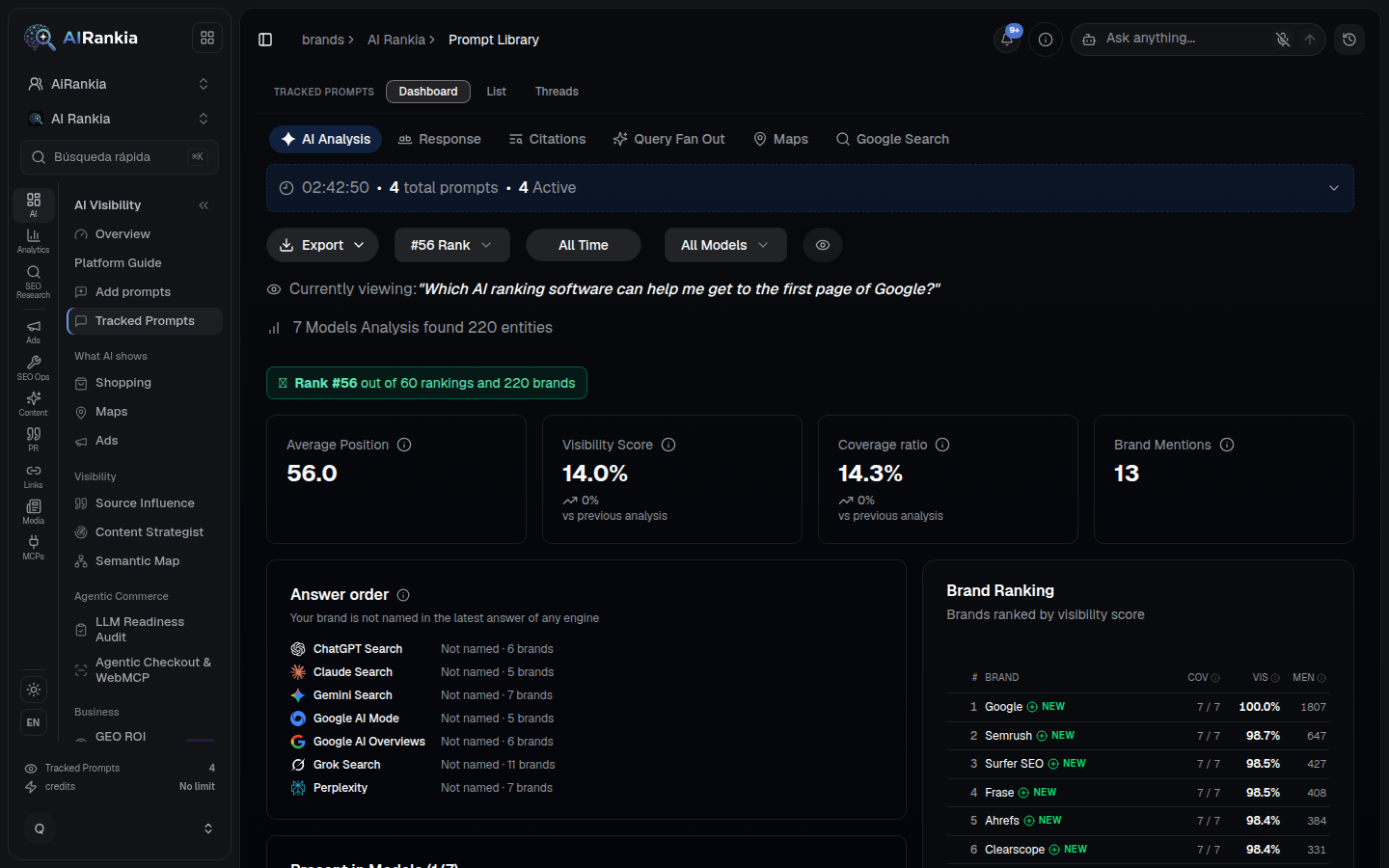
The hero drawing, from the app
The results page at the top of this page is drawn from this screenshot: a tracked prompt keeps the Google page it saw, AI Overview first.
Questions people ask
Short answers, each linked to Google's own documentation. For impressions, start with the Search Console help page.
Can't I just track AI Overviews in Google Search Console?
What's the difference between AI Overviews and AI Mode?
How do I get my site into AI Overviews?
nosnippet or tight max-snippet blocks it. Then study the pages Google picked.Does blocking Google-Extended remove my site from AI Overviews?
nosnippet, data-nosnippet, max-snippet or noindex.How do I track AI Overviews?
Check the keywords that matter on a schedule: is there an AI Overview, are you in its links, who is cited instead. An order that works, free first:
- Search Console. Free, and only Google counts impressions. It won't say which searches.
- Domain scan. Finds keywords nobody thought to track.
- Tracker + prompts. Keywords weekly or monthly; AI Mode as prompts.
- Your pages. Open the pages cited instead and check yours against what Google asks (above).
Judge a keyword by several checks, not one.
Start tracking your keywords in AI Overviews
Checks and scans use credits, from Monitor ($99, 1,000 credits). The brand scan below is free: it shows whether AI engines name you.