Paste a page. We request up to 100 of its links, to your site and to others, and list the ones that answer 404, a server error or nothing at all, with the anchor text so you can find them.
We read the page once, then request up to 100 of its links with a real GET, 10 at a time. It usually takes 5 to 40 seconds.
The limits of each run, taken from the tool's own code.
One request with a browser User-Agent. We collect every <a href>, skip email, phone and in-page # links, and merge duplicates.
Not HEAD, which some servers answer with 200 for a page that's gone. A link that times out gets a second try.
Broken, couldn't check, redirects or OK, each with the status code and the reason. Broken links come first.
Many sites block automated requests. A checker that calls those links broken sends you to fix links that work.
404410other 4xx5xxDNSconnection refusedtimeout ×2, no connectionbad TLSloopFix or remove the link. For a link to your own site, restore the page or redirect it to its real replacement.
401403429999challenge pagelogin pageconsent pagedroppedstalledNot proof of a dead link: Reddit, for example, answers 403 to automated requests, LinkedIn often 999, and Facebook sends them to a login page. Open it in your browser.
301302307308→ 2xxPoint your link straight at the final URL. Internal links that land on your home page are flagged in orange, as Redirects home. A cookie-consent detour (YouTube, Google) isn't counted here: it's OK if the page answers.
200204…The URL answered our GET without redirects. We don't judge whether the page still says what you cite it for.
Google: "redirecting users to another page, such as the homepage, instead of returning a 404" creates soft 404s (source). We flag internal links that end on your home page.
1 URLOne page, not your whole site.Up to 100 links from the URL you paste. To find broken links across a site, check its key pages one by one, or crawl it (see below).
<a href>Only <a href> links in the HTML the server sends.No JavaScript: links added by scripts, as in many app-style menus, aren't seen. Images, scripts, stylesheets, canonical and hreflang URLs aren't checked.
our IPOur server, not your visitors.A site can answer us differently from a person or Googlebot. Some stall automated requests: a link silent for 8 s, twice, is only "Broken" if its server also refuses a plain connection. Facebook and Instagram send robots to a login page. Those cases show as "Couldn't check".
meta refreshRedirects in the page itself aren't followed.If the page you paste sends browsers on with a meta refresh, we tell you and show its URL; if it does it with JavaScript, we can't see it, and you get the links of the page we were given.
blog.A subdomain counts as external.blog.yourdomain.com is "External" when you check yourdomain.com; www and no-www are the same site.
200A 200 doesn't mean the content still matches.It only means the URL answers. Whether the page still says what your link promises, you have to read.
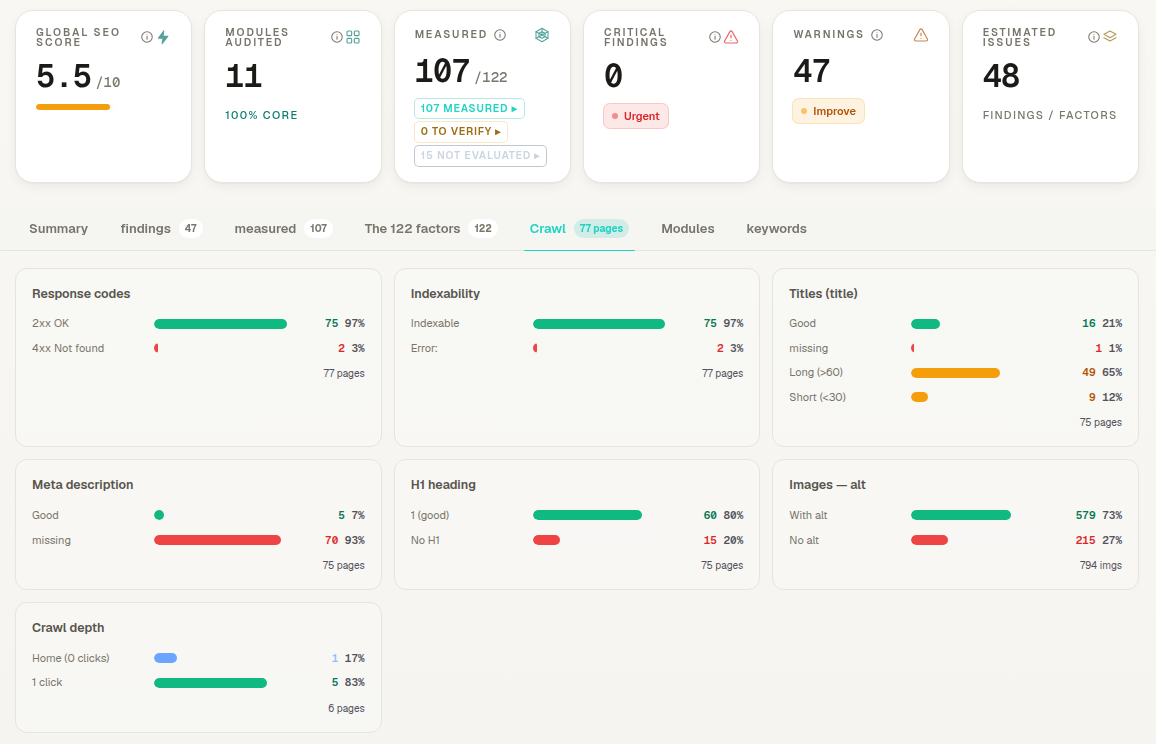
Content Hub's Technical Audit crawls your site and counts response codes. Broken internal and outbound links go to the Action Center queue (the first 40 of each kind, plus a count of the rest), each with the page that holds it.
So a repeat check doesn't hit your site, or the sites you link to, again. Every verdict is a status code or a network error, never an AI score.
The URL checked, link counts, an unsalted SHA-256 hash of your IP (not the address), your country as Cloudflare reports it, whether the IP looks like a VPN, and your email if you gave it. Private and reserved IP addresses are never requested.
AI Rankia runs your tracked prompts on AI engines with live web search and shows whether they mention or cite you.
yourdomain.com/about-us301yourdomain.com/Redirects homeIllustration of one flagged link.
 AI Rankia